Review CUDA findings in your C++test workflow
Prepare a Visual Studio companion solution from a CMake CUDA project, run analysis, and review mapped findings in the IDE

Embedded software consultancy, Parasoft and Perforce partner in Israel for over 20 years. ESL builds and supports the Parasoft CUDA Bridge.
linkedin.com/in/liezrowice · sales@eswlab.comGenerated solution with findings
.cu.cpp mirror.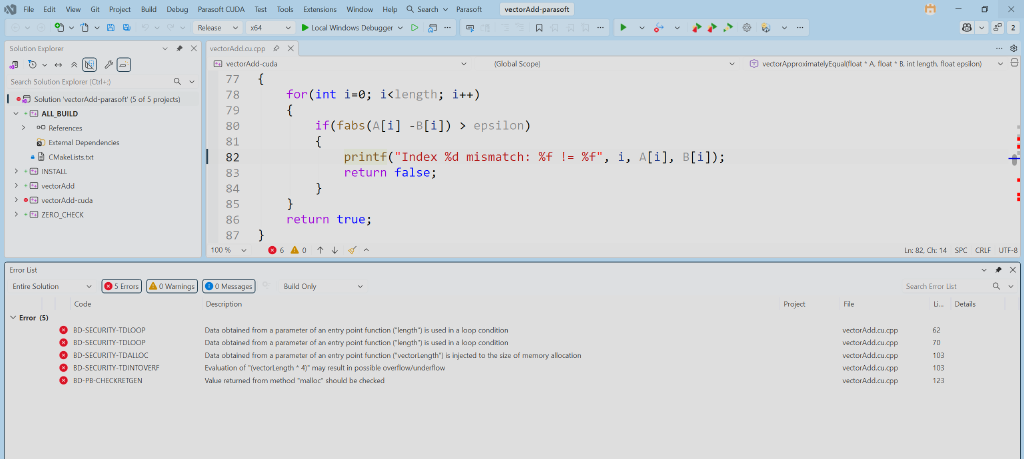
Keep analysis layers separate
Review findings under the configuration that produced them
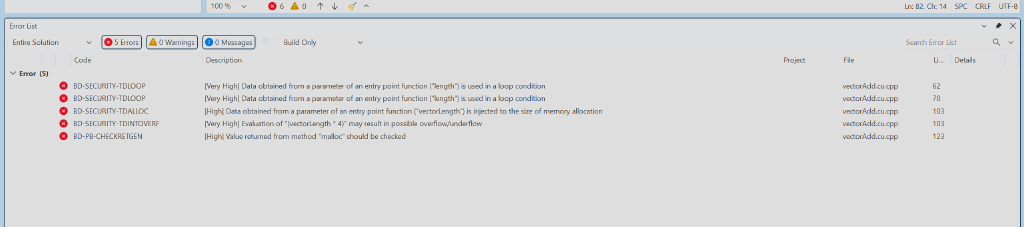
Findings in the local vectorAdd run: 1 file, 144 lines, 3 Very High and 2 High.
Heuristic findings in a separate vectorAdd run, across CUDA-1_3 and CUDA-1_4.
Choose where to review the findings
After each run, the Bridge asks where the findings should go
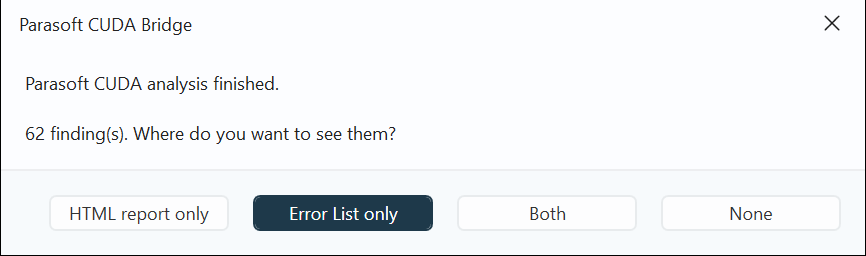
HTML report only
Open the run's HTML report.
Error List only
Show findings with their C/C++test severity.
Both
HTML report and Error List together.
None
Show nothing now. The files are still written.
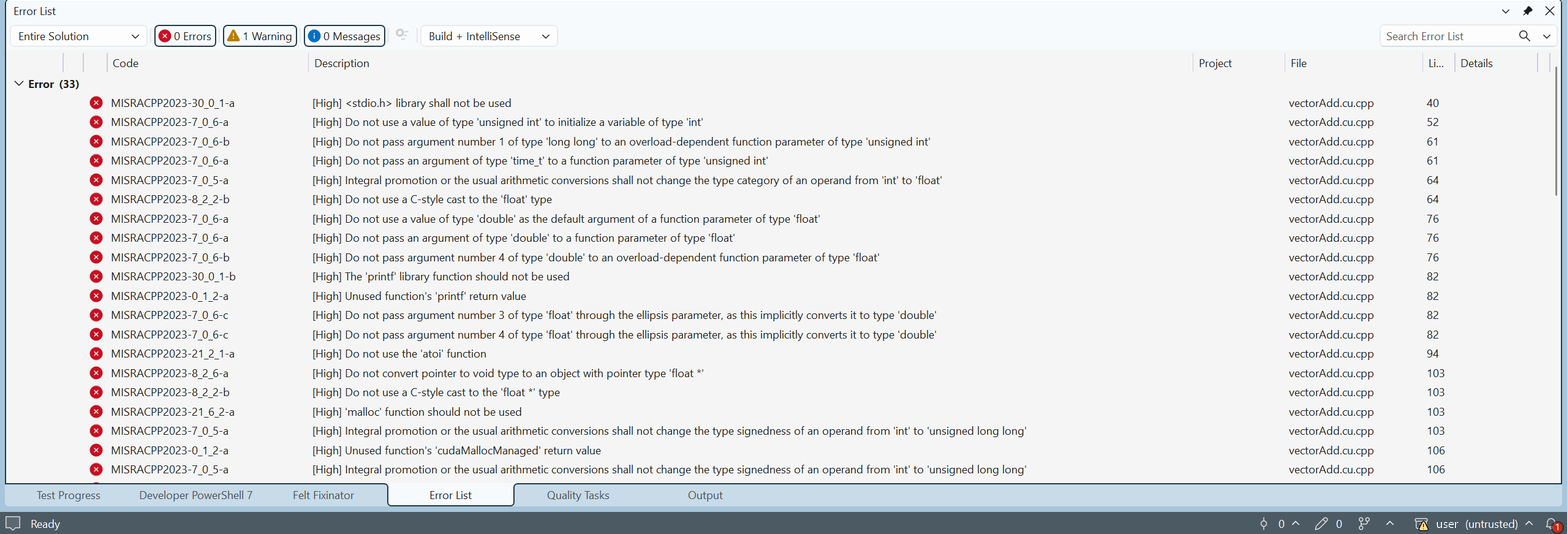
The same findings in the Error List
See activation status inside Visual Studio
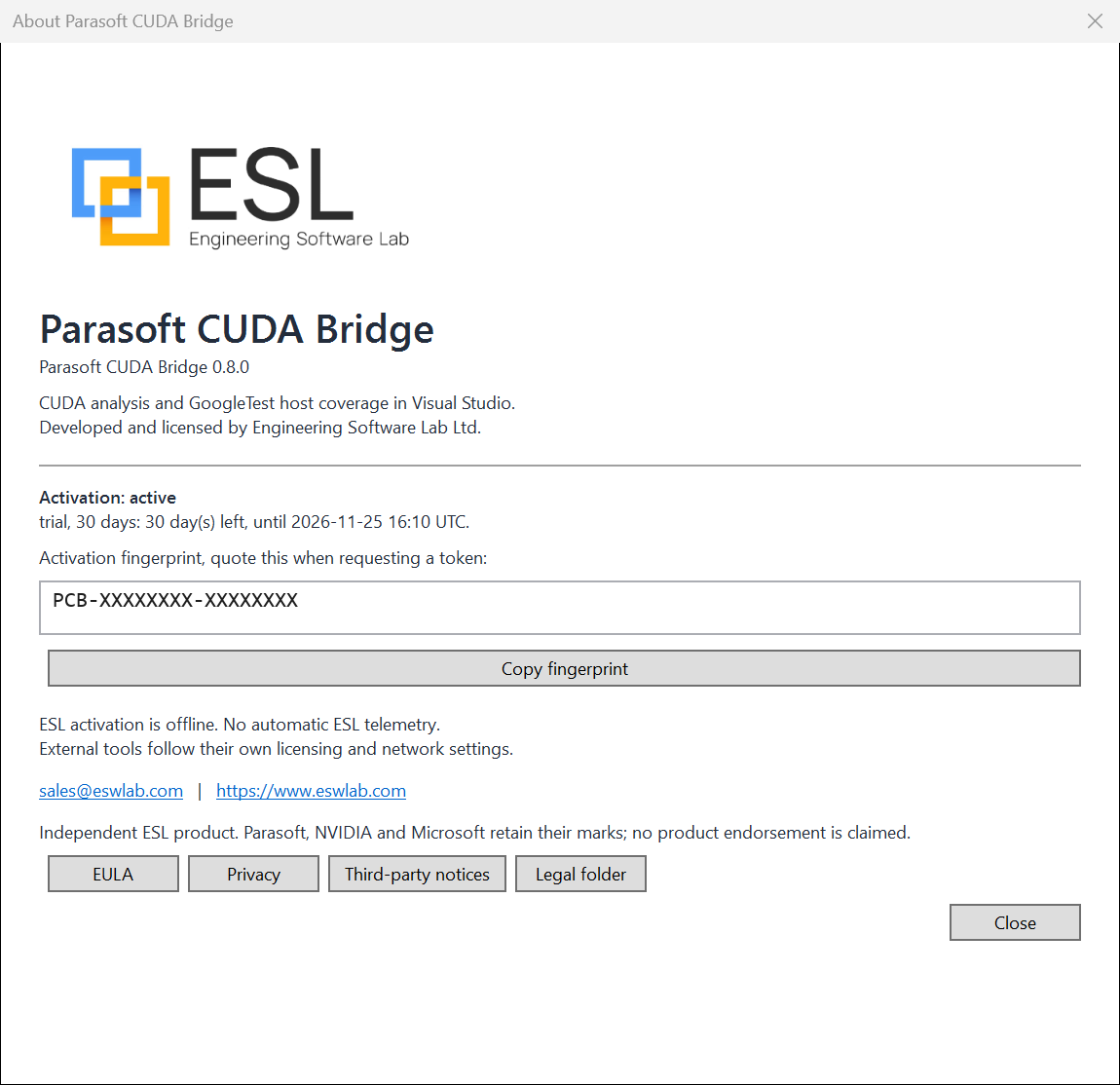
Everything about your activation in one place
- Version and activation state.
- Days left in the current stage.
- The machine fingerprint you send to ESL.
- Legal documents, one button each.
Check activation and license
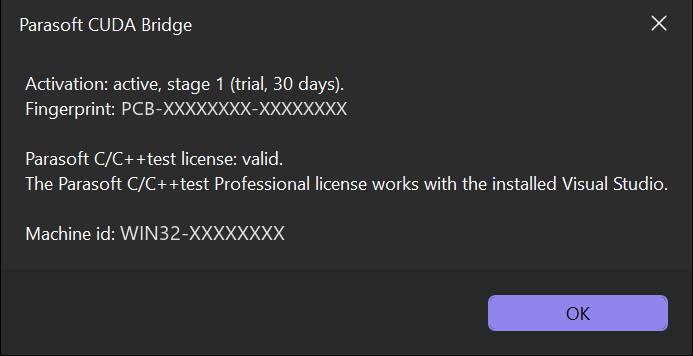
Both checks in one dialog
- Your ESL activation stage.
- Your Parasoft C/C++test license.
Activate in two steps
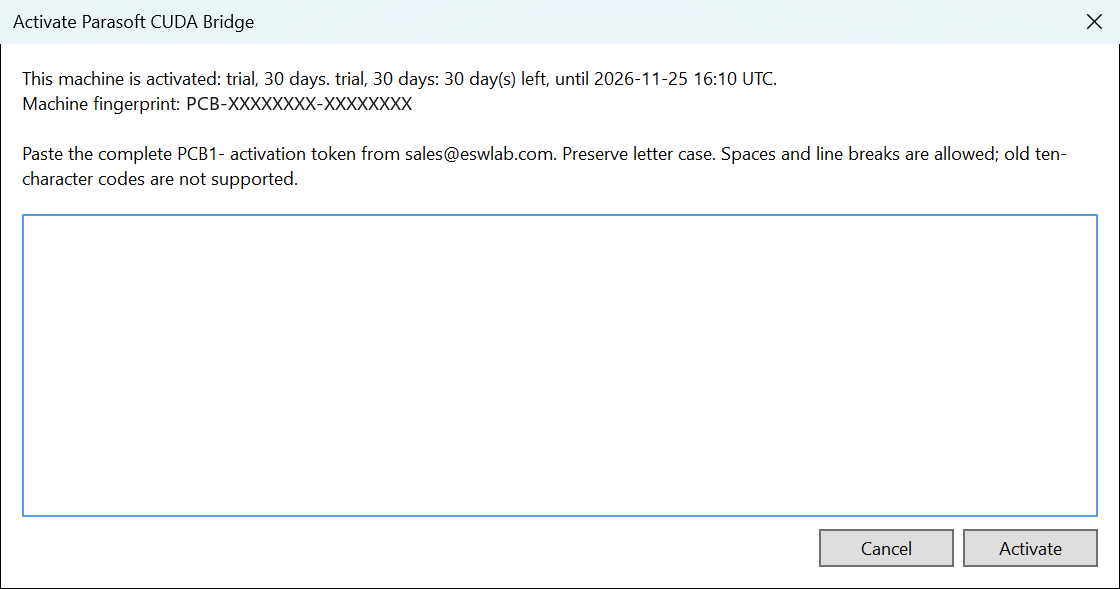
Machine-bound, signed by ESL
- Send the fingerprint from the About dialog to sales@eswlab.com.
- Paste the
PCB1-token you receive.
Start with one representative project
Confirm prerequisites
Verify Visual Studio, CUDA Toolkit, CMake, Parasoft licensing, and ESL activation.
Compare source and findings
Check mappings, severity, false positives, missing cases, and setup output with the owning engineer.
Agree the evaluation scope
Record project/build details, supported configurations, test needs, and acceptance criteria.

Engineering Software Lab Ltd. · sales@eswlab.com · eswlab.com · Daniel Liezrowice on LinkedIn